
Custom rates control which rate types (for example hourly, daily, weekly) your account uses, which one is the default, and what talent can see and edit. Add rate type turns on a rate type already set up for your account; to create a rate type or rename one, contact Worksuite Support.
TABLE OF CONTENTS
Setting up custom rates
Admins can find it under Settings > Partners > Custom rates (the Partners heading uses your workspace's term for talent).

Rate types
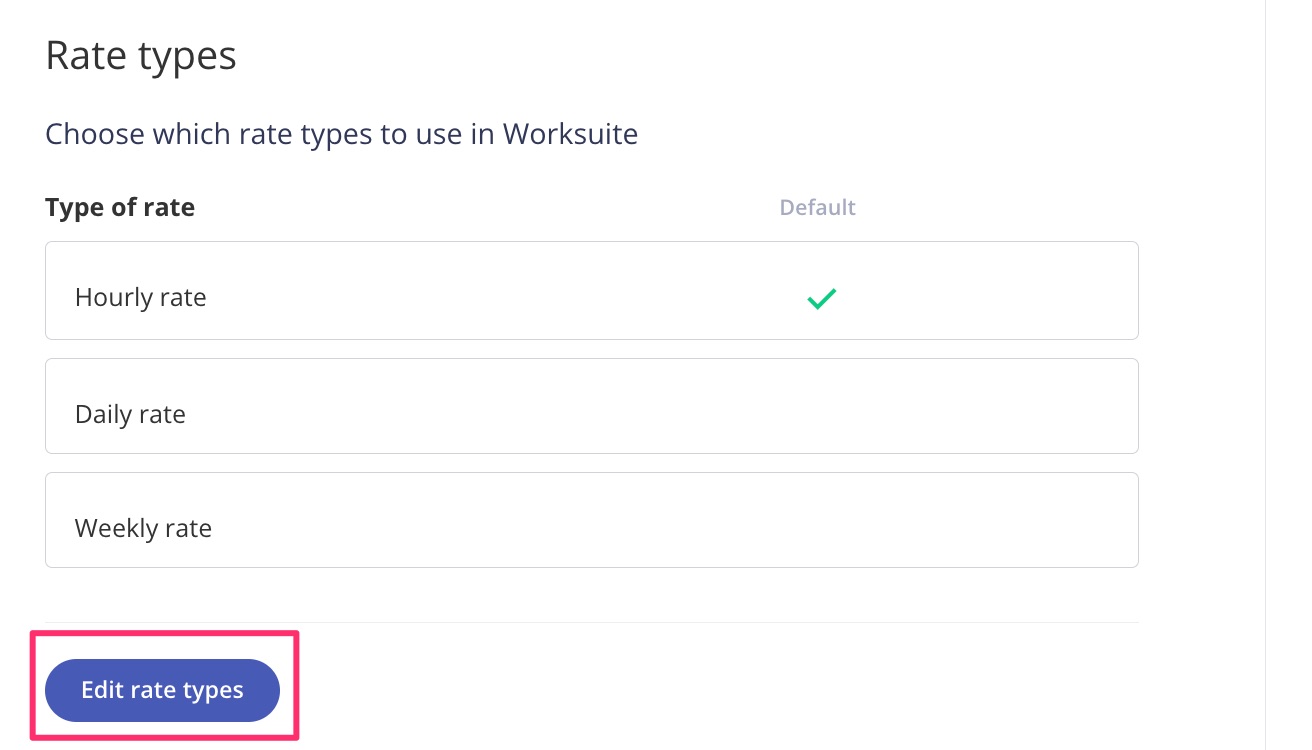
By default, three rates are turned on: Hourly rate / Hours, Daily rate / Days, and Weekly rate / Weeks. Click Edit rate types. Use Add rate type to turn on another type, or the X to turn one off. Select the Default radio button for your default rate, then click Save changes.
Rate Availability
The availability of the rates can be changed based on the talent type. Click Edit rate availability, tick or clear Available, Visible and Editable for each talent type, then click Save changes.
- Available = The rate can be used for this talent type
- Visible = Talent can see this rate
- Editable = Talent can edit this rate i.e., they can edit their profile to mention they charge X amount for their "Hourly Rate".

Custom Rates in Tasks
Custom rates in Tasks are pulled directly from the rate value in the talent's profile. The rate value selected for the talent will be pulled directly into the task when they are selected. Note that this won't work if the talent doesn't have the rate filled in.


Support/Resources
Still have questions about custom rates? Click Support in the bottom-left corner of Worksuite to contact our Support team, or email support@worksuite.com. Including a link to the page you're on and a screenshot helps us answer faster.